Cover
Your bars. No cover.
Welcome
back.
Sign in to your account
You're signed in as
Don't have an account?
Create your
account.
Create an account to get started
You're signed in as
Use at least 6 characters.
Already have an account?
Quick walkthrough.
Here is how the app works after access is unlocked.
Where are you working tonight?
Select the bar that you "work" at for tonight. Do not select the bar you are heading to as a guest.
Pick the venue where you are scheduled to work tonight.
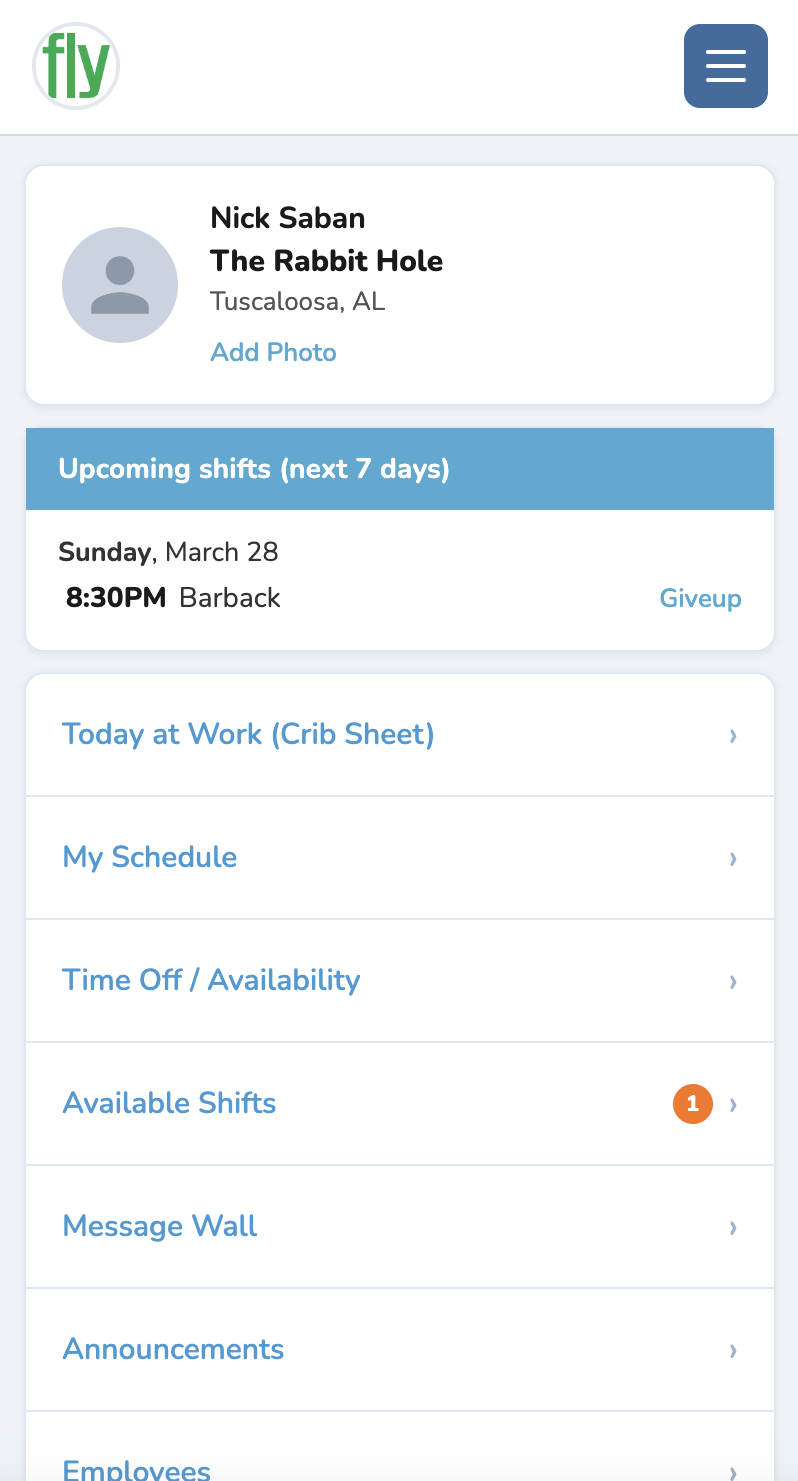
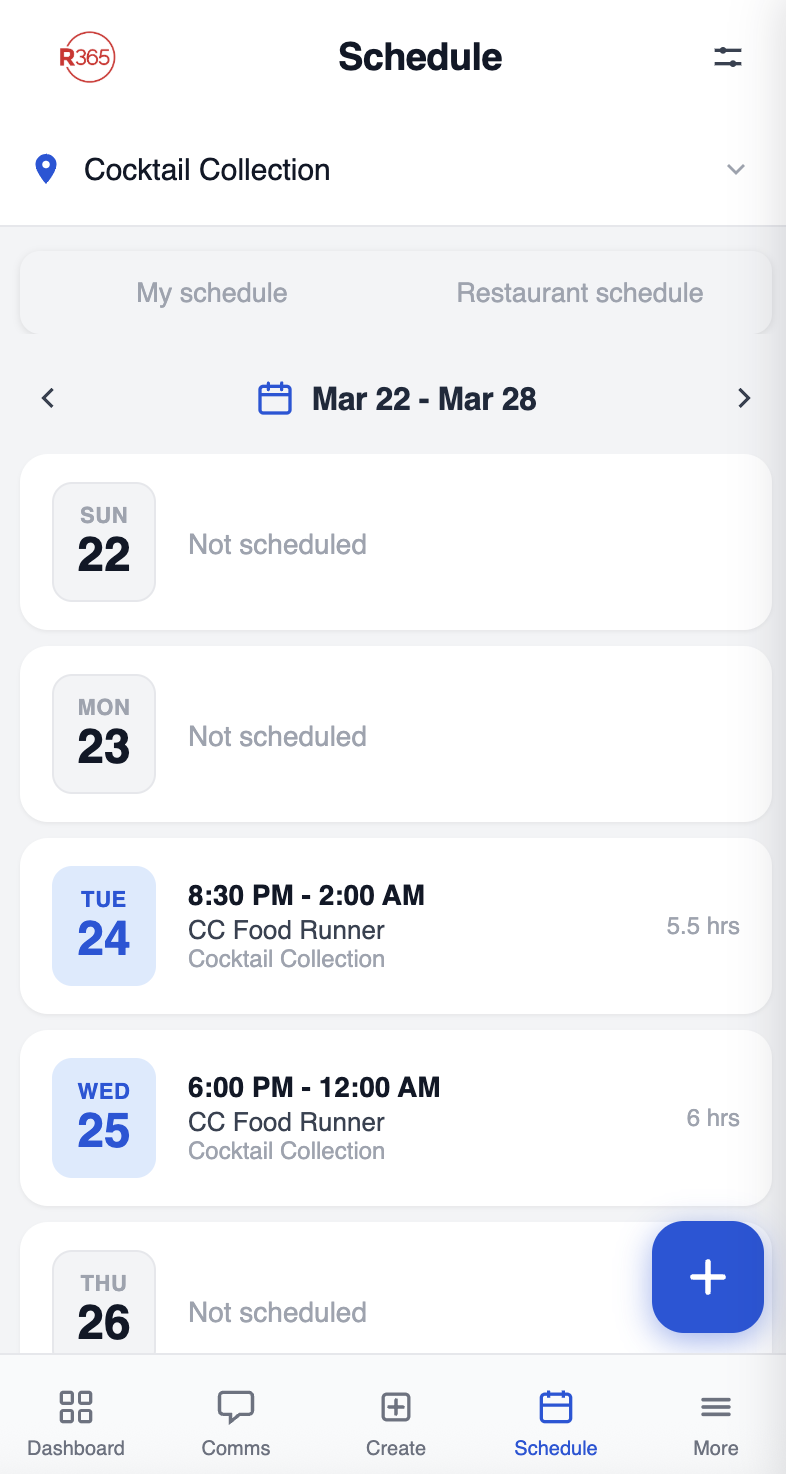
Check start/end time, role, and open shifts before heading out.
Show your active work schedule at the door to bypass the cover charge.

After you unlock access, you can add this app to your iPhone Home Screen.
What you unlock.
Realistic schedule views for each supported venue.
One price.
All the bars.
Already have an account?
My Profile
How you appear when you're signed in
User
-
Referred by
If someone referred you, enter their name once. You can't change this later.
Almost there.
Enter your name as it should appear in the app.
CAUTION: Your name can only be changed once every 7 days.
One last thing.
Add to your Home Screen so it opens like a real app.
📱 Use it like an app
Quick iPhone walkthrough (Safari)
Step 1: Tap the 3 dots (bottom right)
In Safari, tap the three-dot menu button in the lower-right area.

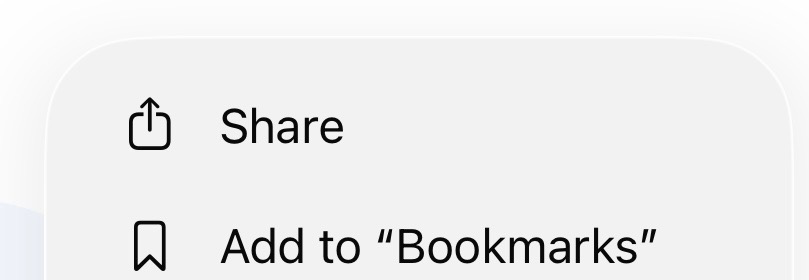
Step 2: Tap “Share” from the menu
When the menu opens, tap the Share row.
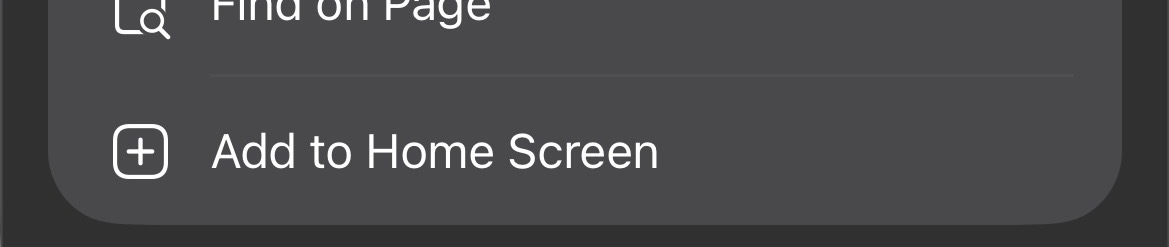
Step 3: Tap “Add to Home Screen”
From the Share sheet, scroll down and select Add to Home Screen.
Step 4: Swipe out of Safari
Swipe out of Safari and open it from your Home Screen.
Choose your venue.
Where are you working tonight?